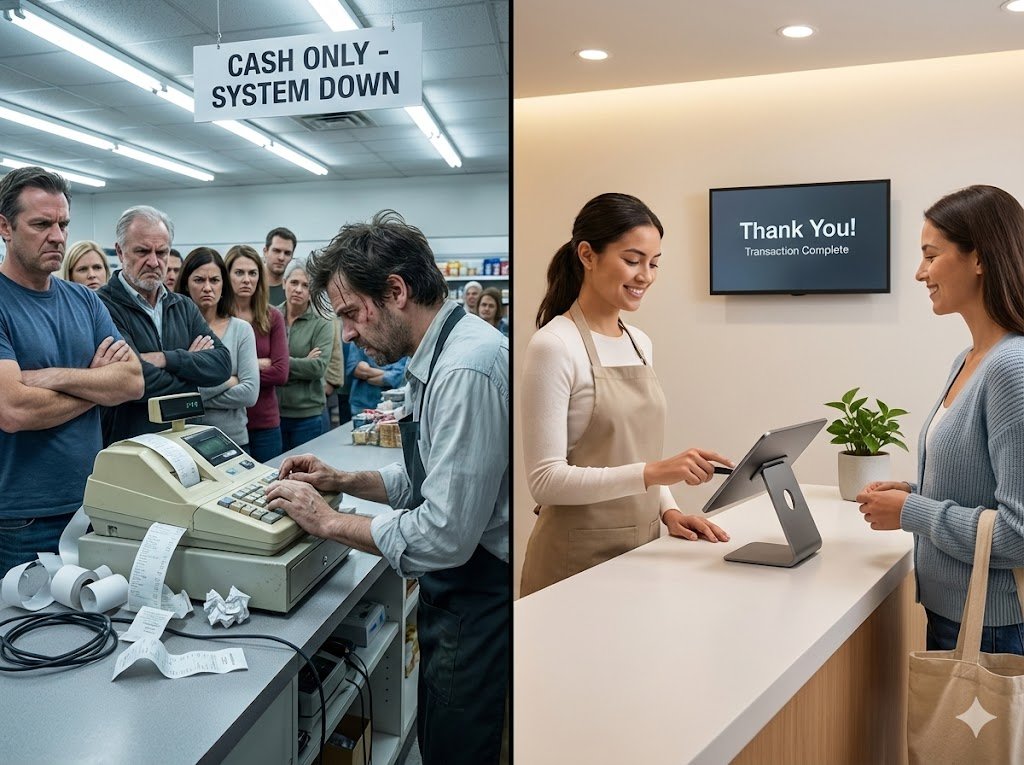
Retail stores handle dozens or even hundreds of transactions every day. From scanning products and applying discounts to calculating taxes and managing returns, every billing activity needs to be accurate. Even small mistakes can lead to financial losses, unhappy customers, and inventory mismatches. Using reliable retail store billing software can help businesses reduce these errors, improve billing accuracy, and maintain better control over daily operations.
What Are Billing Errors in Retail Stores?
Billing errors occur when the amount charged to a customer does not match the actual price of the products purchased or the applicable billing rules. These mistakes can happen because of manual calculations, incorrect product prices, outdated discount information, duplicate entries, or human error during busy hours.
For example, a cashier may accidentally enter the wrong product quantity, forget to apply an eligible discount, or charge a customer twice for the same item. Although an individual mistake may seem insignificant, repeated errors can affect a store’s overall profitability.
7 Common Billing Errors That Cause Retail Stores to Lose Money
1. Incorrect Product Pricing
Incorrect product prices are among the most common billing problems in retail businesses. When product prices change but the billing system is not updated, customers may be charged more or less than the intended selling price.
Charging less than the correct price reduces profit margins, while overcharging can lead to customer complaints and damage the store’s reputation.
How to fix it: Maintain an updated product database with accurate prices, product codes, and tax details. Retail store billing software can help synchronise product information and reduce the need for manual price entry.
2. Manual Calculation Mistakes
Stores that depend on manual calculations or basic billing methods are more likely to experience errors involving quantities, totals, taxes, and discounts. These mistakes become more frequent during rush hours when employees need to process multiple transactions quickly.
Even a small calculation error can affect the final bill and create discrepancies in daily sales records.
How to fix it: Use an automated billing system that calculates totals, applicable taxes, and discounts automatically. This reduces repetitive manual work and allows employees to focus on serving customers efficiently.
3. Incorrect Discounts and Promotional Offers
Retail stores frequently offer seasonal discounts, loyalty rewards, bundle deals, and promotional pricing. If these offers are configured incorrectly, employees may apply excessive discounts or fail to apply eligible offers.
For example, a cashier might accidentally apply a 20% discount instead of 10%, directly reducing the profit earned on a sale.
How to fix it: Configure promotional rules in advance and establish clear discount permissions. A billing system with automated discount management helps apply the correct offers and reduces unauthorised price adjustments.
4. Duplicate Billing and Missed Transactions
Duplicate billing occurs when the same purchase is recorded more than once. It can lead to customer disputes, refund requests, and inaccurate sales reports. On the other hand, missed transactions can result in sales being underreported or payments not being recorded correctly.
These issues are particularly difficult to identify when stores rely on handwritten records or disconnected systems.
How to fix it: Use software that generates unique invoice numbers, records transactions automatically, and maintains a searchable billing history. Regular reconciliation of sales records and payment settlements can help identify discrepancies quickly.
5. Incorrect Tax Calculations
Retail businesses must apply the appropriate taxes based on product categories, transaction details, and applicable regulations. Incorrect tax rates or outdated tax settings can result in inaccurate invoices and additional accounting work.
For Indian retailers, errors involving GST rates, taxable values, or invoice details can create compliance issues.
How to fix it: Keep tax settings updated according to applicable GST rules and configure the billing system correctly for different product categories. Review tax reports periodically and consult a qualified accountant when necessary.
6. Billing Errors During Product Returns and Exchanges
Returns and exchanges create additional opportunities for billing mistakes. Employees may issue incorrect refunds, forget to update inventory, or charge the wrong amount when customers exchange products.
For instance, a returned product might be refunded without being recorded properly in the inventory system. This can create a mismatch between physical stock and recorded stock.
How to fix it: Establish a standard return and exchange process. Use a billing system that links refunds, credit notes where applicable, and inventory adjustments to the original transaction.
7. Cash and Digital Payment Reconciliation Errors
Retail stores often accept cash, debit cards, credit cards, UPI, and other digital payment methods. If the recorded payment amount differs from the amount actually received, the store may face unexplained cash shortages or settlement discrepancies.
These problems can remain unnoticed when payment records are checked only at the end of the month.
How to fix it: Reconcile payments daily and compare billing records with cash balances and payment gateway or bank settlement reports. Integrated billing and reporting features can make discrepancies easier to identify.
How Retail Store Billing Software Helps Prevent Financial Losses
The right retail store billing software can help retailers prevent recurring billing mistakes while improving operational efficiency. Instead of depending on manual entries and separate records, businesses can manage essential billing activities through a centralised system.
Here are some important benefits.
Automated Billing and Tax Calculations
Automated calculations reduce mistakes involving product quantities, totals, taxes, and discounts. Employees can generate invoices faster without repeatedly calculating amounts manually.
Centralised Product and Price Management
A central product database helps retailers maintain consistent prices, product descriptions, and tax information. When prices change, authorised updates can be applied through the system instead of relying on employees to remember every change.
Real-Time Inventory Updates
When billing is connected to inventory management, stock levels can be updated as sales and returns are recorded. This helps retailers identify stock discrepancies and make better purchasing decisions.
Accurate Sales Reports
Detailed reports allow store owners to review sales, discounts, refunds, payment methods, and transaction history. These records help identify unusual patterns and investigate recurring billing problems.
Better Employee Accountability
Role-based permissions and transaction histories can help managers review who applied discounts, processed refunds, or changed prices. This improves accountability and helps reduce unauthorised adjustments.
However, software alone cannot eliminate every problem. Incorrect configuration, poor employee training, inaccurate product data, and weak internal controls can still cause losses.
How to Choose the Right Billing Software for Your Retail Store
Retailers should evaluate their business requirements before investing in a billing solution. A small grocery shop may need fast checkout, barcode scanning, and simple inventory tracking, while a clothing store may require size and colour variants, returns management, and promotional pricing.
Before selecting a system, consider the following factors:
-
Ease of use: Employees should be able to learn the billing process quickly.
-
GST-ready invoicing: The software should support relevant tax calculations and invoice requirements.
-
Inventory management: Look for automatic stock updates and low-stock alerts.
-
Payment integration: Ensure the system supports the payment methods your customers use.
-
Reporting capabilities: Choose software that provides useful sales, refund, and transaction reports.
-
Data security and backups: Protect customer and business records with suitable access controls and backup options.
-
Scalability: The system should accommodate additional products, users, or store locations as the business grows.
Compare the available features, pricing, support, and integration options before making a decision.
Practical Tips to Reduce Billing Errors Every Day
Retailers can improve billing accuracy by combining automation with consistent operating procedures.
Train employees to scan product barcodes instead of entering prices manually whenever possible. Check product prices and promotional settings regularly, especially before launching a sale. Require authorisation for large discounts and unusual refunds. At the end of each business day, reconcile cash, digital payments, refunds, and recorded sales.
Managers should also review error patterns rather than correcting only individual mistakes. If a particular product frequently has incorrect pricing, the root cause may be an outdated product database rather than employee carelessness.
Expert Tip: Review billing discrepancies weekly and identify the most common causes of lost revenue. Fixing the underlying process is usually more effective than repeatedly correcting individual invoices.
Conclusion
Billing errors can quietly reduce retail profits through incorrect pricing, excessive discounts, calculation mistakes, inaccurate tax entries, and payment discrepancies. These problems also consume employees’ time and can weaken customer trust.
Investing in suitable retail store billing software helps businesses automate calculations, maintain accurate product information, manage inventory, and review transactions more efficiently. When supported by employee training, daily reconciliation, and regular system checks, it becomes easier to control billing errors and protect retail profitability.
The goal is not simply to generate invoices faster. It is to ensure that every transaction is accurate, properly recorded, and easy to verify.