Businesses handle hundreds of repetitive tasks every day, from responding to customer inquiries and processing documents to updating CRM records and managing internal workflows. Traditional automation can handle predictable processes, but it often struggles when tasks require context, decision-making, or information from multiple systems.
AI agents offer a more flexible approach. They can understand requests, analyze information, use connected tools, and complete tasks with limited human intervention. For example, an AI agent can receive a customer inquiry, check order information, identify the issue, and prepare an appropriate response.
However, building an effective AI agent requires more than connecting a language model to a chatbot. Businesses need a clear automation strategy, reliable data, suitable integrations, and appropriate security controls.
This guide explains how to build an AI agent for business automation, including the development process, costs, benefits, and practical implementation considerations.
What Is an AI Agent for Business Automation?
An AI agent is a software system that can understand a goal, determine the steps needed to achieve it, and use available tools to complete tasks. Unlike conventional automation, which follows predefined instructions, an AI agent can respond to changing information and handle certain decisions independently.
For example, a traditional workflow might send the same confirmation email after every purchase. An AI-powered agent could check inventory, review the customer’s request, identify delivery restrictions, and recommend the next action.
Common business applications include:
- Customer support: Answering questions and routing complex requests.
- Sales operations: Qualifying leads and updating CRM records.
- Finance: Extracting invoice information and flagging discrepancies.
- Human resources: Responding to employee questions and assisting with onboarding.
- Operations: Monitoring workflows and identifying potential delays.
How to Build an AI Agent for Business Automation
Developing an AI agent should follow a structured process. Each stage helps ensure that the final system solves a genuine business problem rather than introducing unnecessary complexity.
1. Identify the Right Business Process
Start by identifying tasks that consume significant employee time or create operational bottlenecks. Look for repetitive activities that involve structured information, predictable decisions, and measurable outcomes.
For instance, an e-commerce company might spend several hours daily reviewing customer requests, checking order statuses, and responding to delivery questions. An AI agent could automate much of this process.
Evaluate potential workflows based on:
- Frequency of the task.
- Time required for manual completion.
- Cost of operational errors.
- Availability of reliable data.
- Potential savings through automation.
Choose one well-defined workflow for the initial project. Expanding too early can increase development costs and make performance difficult to evaluate.
2. Define the Agent’s Goals and Responsibilities
Once you select a workflow, establish exactly what the agent should accomplish.
A customer support agent, for example, might need to:
- Receive and understand customer messages.
- Identify the customer’s issue.
- Retrieve relevant account or order information.
- Recommend an appropriate solution.
- Escalate sensitive or complicated cases.
Also define what the agent must not do. It should not approve unusual refunds, change sensitive account information, or make financial commitments without appropriate authorization.
Clear boundaries make AI automation more predictable and easier to manage.
3. Choose the Right AI Model and Technology Stack
Your technology choices depend on the complexity, performance requirements, and budget of the project.
A typical AI agent architecture includes:
- Large Language Models (LLMs): Interpret instructions, understand context, and generate responses.
- Agent frameworks: Manage reasoning, tool usage, and workflow execution.
- APIs: Connect the agent with CRM platforms, databases, payment systems, and other applications.
- Vector databases: Retrieve relevant information from business documents and knowledge bases.
- Backend infrastructure: Manage authentication, business logic, and communication between components.
- Monitoring tools: Track performance, errors, response times, and usage.
Popular technologies include OpenAI models, LangGraph, Python, PostgreSQL, and cloud infrastructure.
Avoid choosing tools simply because they are popular. Select technologies based on integration requirements, data privacy, scalability, and long-term maintenance.
4. Connect the Agent to Business Systems
An AI agent becomes useful when it can interact with the systems employees already use.
For example, a sales automation agent might connect to:
- A CRM platform to retrieve customer records.
- An email service to prepare follow-up messages.
- A scheduling system to check meeting availability.
- A company database to access product information.
Use secure APIs and clearly defined permissions for these connections. Give the agent access only to the information and actions necessary for its assigned responsibilities.
5. Add Business Knowledge and Context
General AI models do not automatically understand a company’s internal policies, products, or operational procedures.
To make responses more accurate, connect the agent to approved business information. Retrieval-Augmented Generation (RAG) is one common approach. It allows an AI system to retrieve relevant information from company documents before generating an answer.
For example, a support agent can reference current return policies, product manuals, and frequently asked questions instead of relying on general model knowledge.
Keep these resources updated and establish clear rules for handling missing or conflicting information.
6. Build, Test, and Improve the Agent
Before deployment, test the agent against realistic business scenarios.
Include normal requests, incomplete information, unexpected inputs, and situations requiring human intervention.
Measure performance using indicators such as:
- Task completion rate.
- Response accuracy.
- Average processing time.
- Human escalation rate.
- Cost per completed task.
- Error and failure frequency.
Testing should also cover security vulnerabilities, unauthorized actions, and incorrect tool usage.
Start with a limited pilot involving real users under supervision. Use their feedback to improve instructions, integrations, and decision-making rules before expanding deployment.
Where AI Agents Deliver the Most Business Value
AI agents can support several business functions, particularly where employees frequently move between different software systems.
Consider these examples:
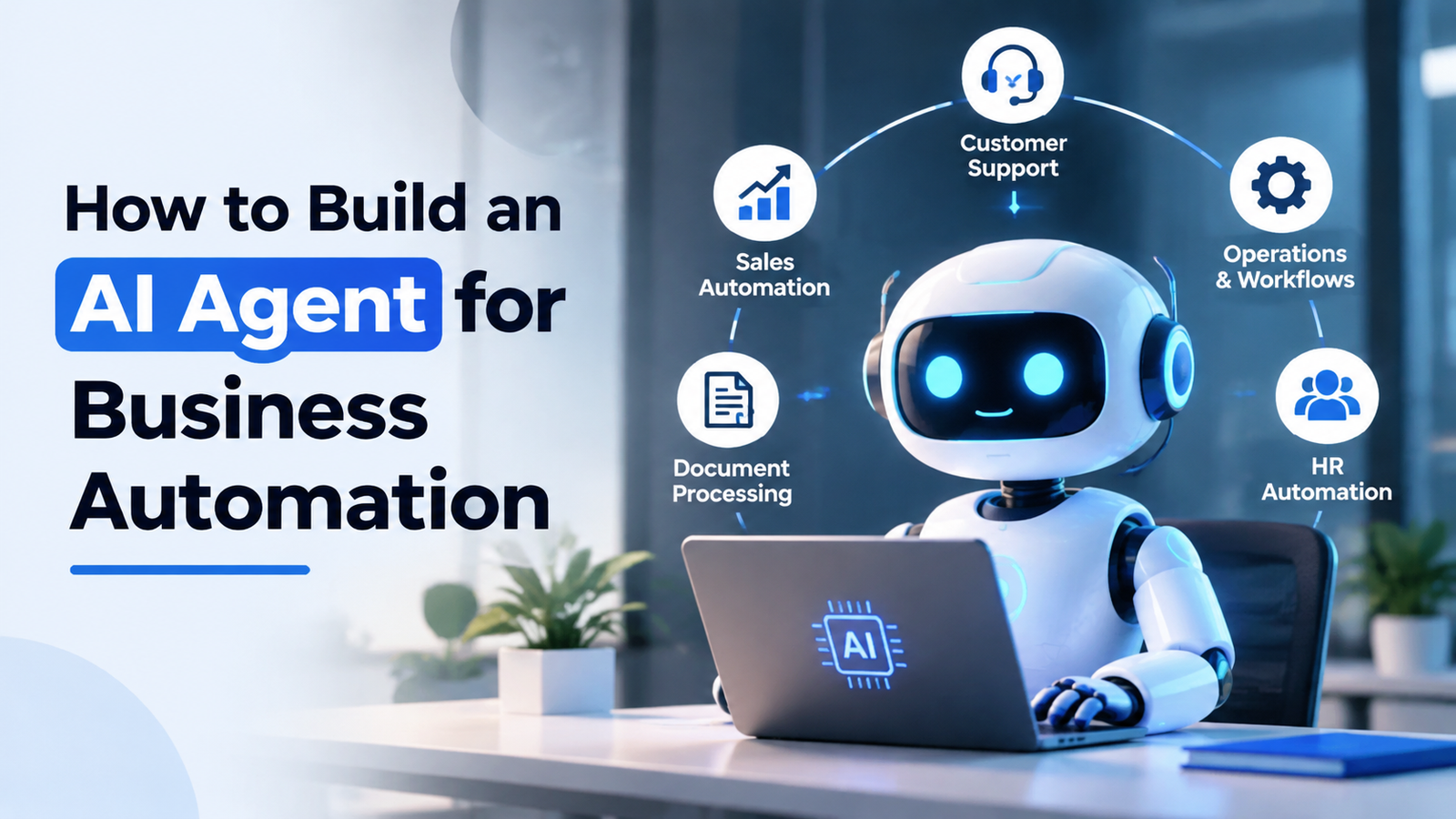
Customer service: An agent can classify incoming requests, retrieve relevant information, and prepare responses. Human representatives can handle complaints and sensitive situations.
Sales automation: An agent can review incoming leads, identify relevant customer details, update CRM records, and prepare personalized follow-ups.
Document processing: An agent can extract information from invoices, compare records, and flag missing or inconsistent details for review.
Internal operations: Employees can use an AI agent to retrieve company policies, prepare reports, and complete routine administrative tasks.
Businesses planning customer-facing automation can also consider specialized ai chatbot development services to build conversational systems that connect with internal databases, support platforms, and business applications.
What Does It Cost to Build an AI Agent?
The cost depends on the agent’s complexity, integrations, infrastructure, security requirements, and ongoing maintenance.
A simple internal agent that answers questions from approved documents will generally require fewer resources than an enterprise system that processes transactions across several applications.
Major cost components include:
- AI model usage and API consumption.
- Software development and system integration.
- Cloud hosting and database infrastructure.
- Security testing and compliance requirements.
- Monitoring, maintenance, and ongoing improvements.
Businesses should also consider operational costs after deployment. Model usage, third-party services, data storage, and maintenance can create recurring expenses.
A focused pilot is often a sensible starting point because it helps validate business value before committing to a larger investment.
Common Challenges and How to Avoid Them
AI agent development introduces challenges that businesses should address before deployment.
Incorrect responses: Agents can generate inaccurate information. Use approved knowledge sources, validation rules, and human review for important decisions.
Data security: Protect sensitive information through encryption, access controls, and secure API authentication.
Uncontrolled actions: Restrict permissions and require human approval for financial transactions, account changes, and other high-impact activities.
Integration problems: Test connections with existing software and establish reliable error-handling procedures.
Unpredictable costs: Monitor model usage, set spending limits, and measure the cost of completed tasks.
Poor business adoption: Train employees and explain how automation supports their work rather than simply replacing existing processes.
Best Practices for Successful AI Agent Implementation
A successful AI automation project needs continuous management, not just a successful launch.
Follow these practices:
- Start with one measurable business problem.
- Set clear objectives and performance indicators.
- Use reliable, regularly updated business data.
- Apply role-based access and security controls.
- Keep humans involved in high-risk decisions.
- Test the system with realistic scenarios.
- Monitor operating costs and task accuracy.
- Improve the agent using performance data and employee feedback.
These practices help businesses build AI agents that remain useful, secure, and manageable as operational requirements change.
Conclusion
Building an AI agent for business automation requires a clear understanding of business processes, suitable technology, reliable integrations, and ongoing performance management. The best starting point is usually a specific workflow where automation can reduce manual effort and improve operational consistency.
Businesses should focus on measurable outcomes rather than implementing AI simply for the sake of adopting new technology. With the right development strategy, AI agents can become valuable components of customer service, sales, finance, and internal operations.
AI Tools can support individual tasks, but well-designed AI agents go further by connecting information, applications, and actions into complete business workflows. Companies such as Bitrupt can help organizations approach this process through custom software development, AI solutions, cloud infrastructure, and technical consulting.
Frequently Asked Questions
1. How long does it take to build an AI agent?
A basic AI agent may take a few weeks to develop, while complex enterprise solutions can require several months. The timeline depends on integrations, data preparation, testing, and security requirements.
2. Do AI agents require coding?
Not always. No-code and low-code platforms support basic automation. However, custom development is often necessary for complex integrations, specialized business logic, and enterprise security.
3. Can AI agents integrate with existing business software?
Yes. AI agents can connect with CRM systems, databases, email platforms, ERP software, and other applications through APIs and supported integrations.
4. Are AI agents secure for business use?
They can be secure when designed with encryption, access controls, authentication, activity monitoring, and appropriate human approval processes. Security depends on implementation and ongoing management.
5. How can businesses measure AI agent ROI?
Businesses can compare development and operating costs against measurable benefits, including reduced processing time, lower manual workload, fewer errors, improved customer response times, and increased employee productivity.